Updated October 29, 2026
Free printable mileage log
A two page PDF, free, no email needed. Print the trip sheet as many times as you need and the year summary once.
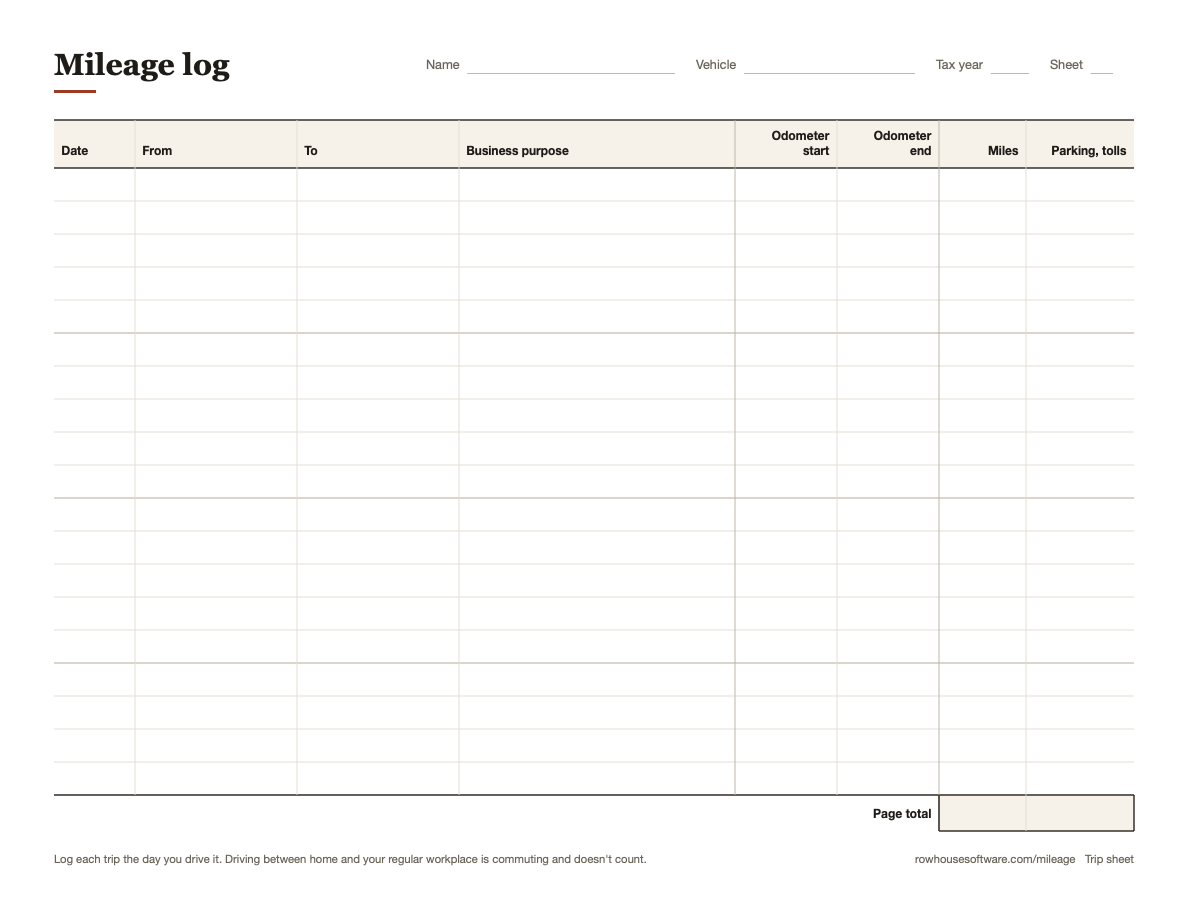
What's on it
Page 1 is the trip sheet. Each row has the date, where you drove from and to, and the business purpose. Then the odometer at both ends, the miles, and anything you paid for parking or tolls. There's room for 19 trips on Letter and 18 on A4, with a page total at the bottom.
Page 2 is the year summary. It has the car and its odometer at the start and end of the year. Below that there's a month by month table where you total your business miles and what they're worth.
The A4 version says Distance instead of Miles, so it works in km. Its from and to columns ask for postcodes, since HMRC wants start and end postcodes on Mileage Allowance Relief claims.
How to fill it in
- Write the odometer on the year summary on January 1, or the day you start.
- For each work trip, fill in a row before you forget. The odometer readings are the part people skip, so get those first. Miles is the end reading minus the start.
- When a sheet is full, add up the miles and the parking and tolls at the bottom. Number your sheets.
- At the end of each month, copy the month's business miles onto the year summary and multiply by the rate.
- On December 31, write the odometer again. Business miles divided by total miles is your business use.
An example row
One row from a contractor's trip sheet:
| Date | Mar 9 |
| From | Shop |
| To | 40 York Rd, Lutherville |
| Business purpose | Bathroom estimate, Nguyen |
| Odometer | 18,301 to 18,310 |
| Miles | 9 |
“Bathroom estimate, Nguyen” is a business purpose. “Work” isn't.
Keep the sheets and a pen in the glovebox. A log you fill in at the car holds up a lot better than one rebuilt in April. Here's what the IRS wants in a log.
More mileage guides
- IRS mileage rate 2026
- What a mileage log needs for the IRS
- Mileage for gig drivers (DoorDash, Uber, Instacart)
- HMRC mileage rates 2026/27
- CRA mileage rate 2026
Sources
- IRS Publication 463, the car expenses and recordkeeping guide
- GOV.UK: Tax relief for employees, vehicles you use for work
- Canada Revenue Agency: Motor vehicle records
This is general information, not tax advice. Check with a tax professional about your own return.
If you'd rather keep it on your phone, Milepost, our iPhone app, fills in the date and odometer for you and makes the same kind of log as a PDF for your accountant. It's coming soon to the App Store.